Website Profotonet

Website Profotonet

Client

Profotonet

Year

2025

Website

Soon to be live

Collaborators

• Branding: Menno Cruijsen


• UX Design: Sander Vroeger,
Anneloes ter Harmsel

Following the introduction of a new brand identity, I contributed to the redesign of Profotonet’s e-commerce website, translating the refreshed visual language into a cohesive digital experience. The focus was on balancing expressive brand moments with a clearer, more intuitive customer journey that supports confident decision-making.

Web

Web

E-Commerce

E-Commerce

Commercial

Commercial

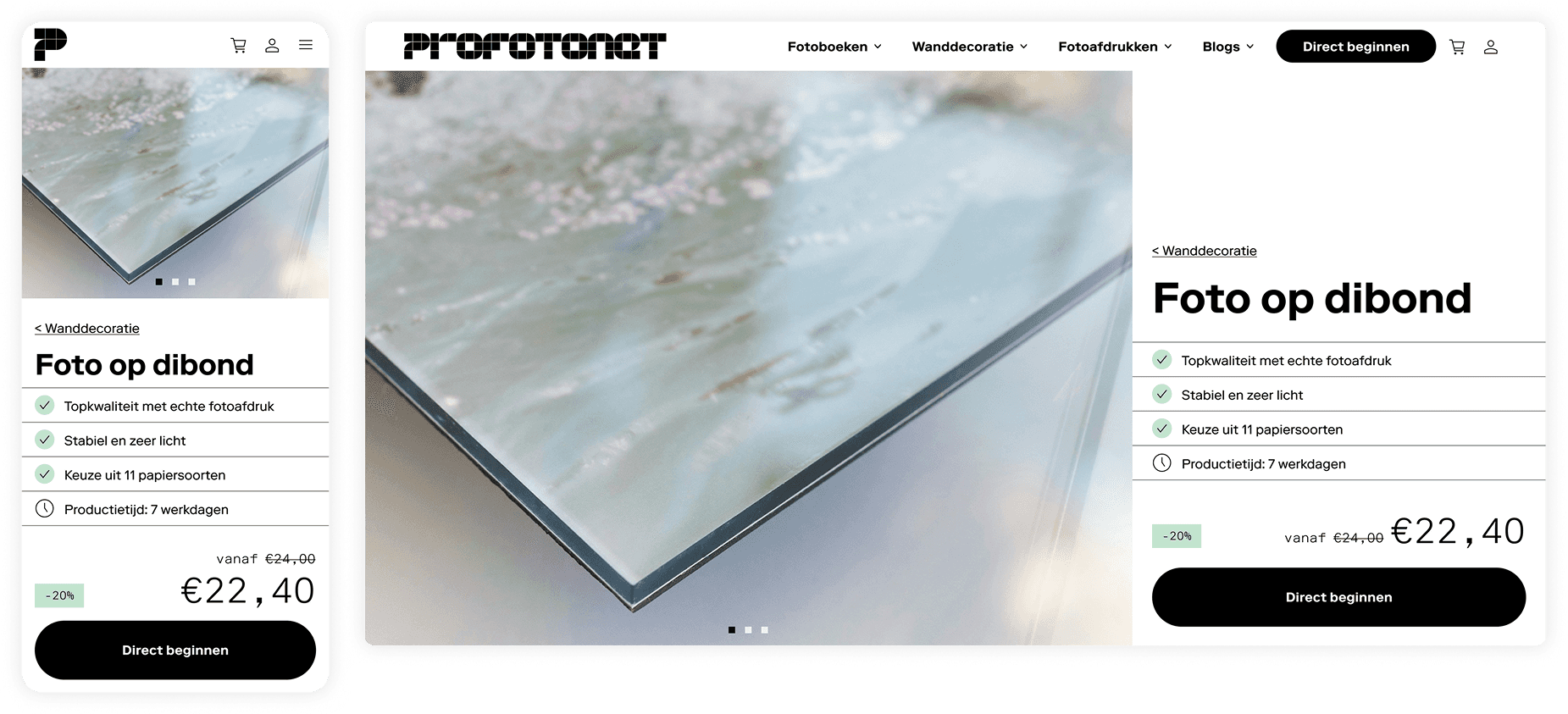
New brand identity led by Menno Cruijsen. A newly introduced brand identity set the visual direction, requiring careful interpretation and systematization across a complex e-commerce experience.

A flexible set of article header variants was designed to accommodate different editorial contexts, allowing for richer brand expression while maintaining consistency across content types.

A flexible set of article header variants was designed to accommodate different editorial contexts, allowing for richer brand expression while maintaining consistency across content types.

A flexible set of article header variants was designed to accommodate different editorial contexts, allowing for richer brand expression while maintaining consistency across content types.

New brand identity led by Menno Cruijsen. A newly introduced brand identity set the visual direction, requiring careful interpretation and systematization across a complex e-commerce experience.

New brand identity led by Menno Cruijsen. A newly introduced brand identity set the visual direction, requiring careful interpretation and systematization across a complex e-commerce experience.

Format and Price module

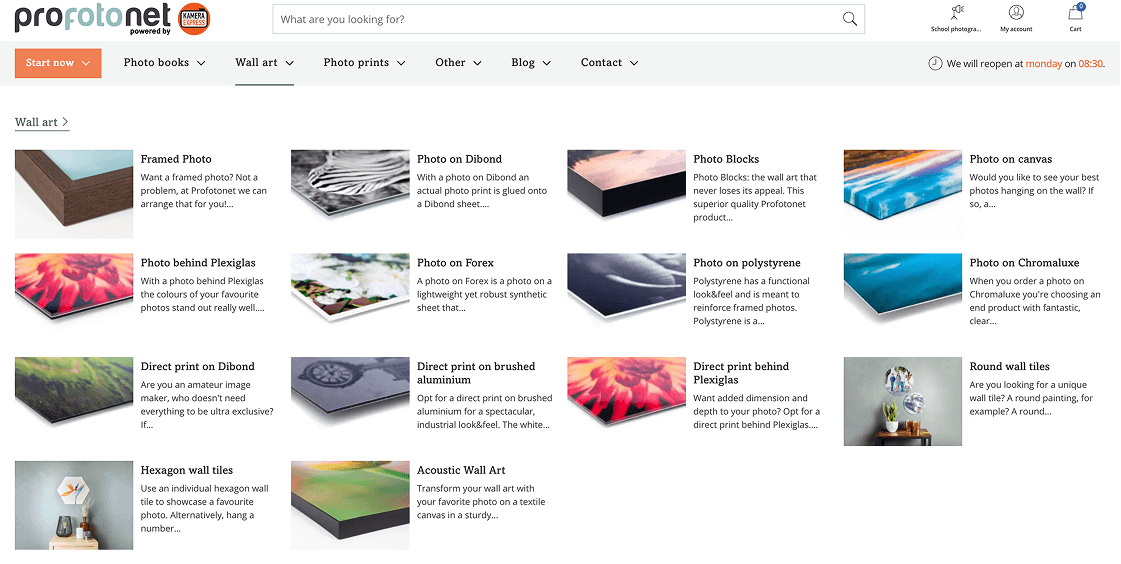
Before

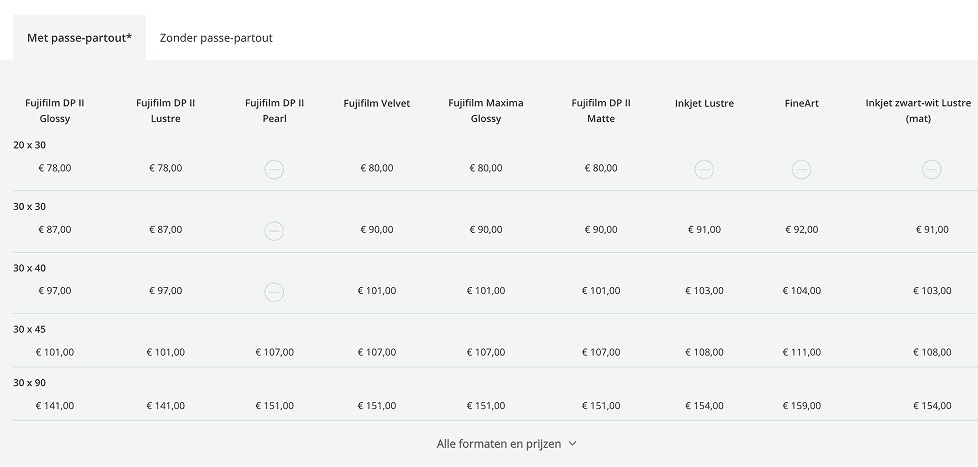
The most critical information for customers—available configurations and their cost implications—was fragmented and difficult to scan, making it hard to compare options or understand price impact early in the journey. In some cases, expanding formats and prices resulted in up to 50 rows per product, creating significant cognitive load.

Additionally, essential guidance for first-time customers—such as differences between paper types—was buried behind links to separate content pages, frequently pulling users out of the purchase flow and overwhelming them with irrelevant information.

After
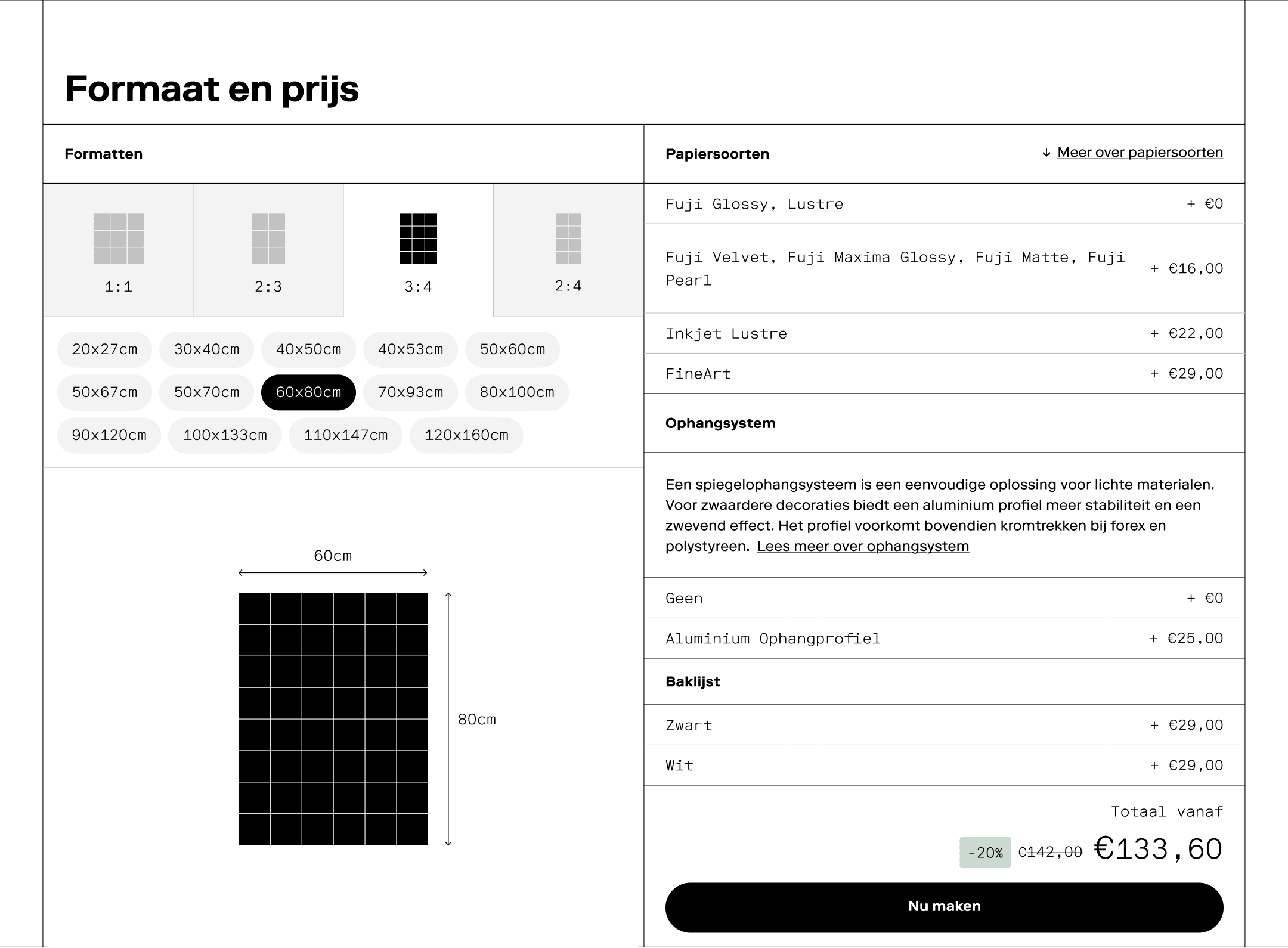
The redesigned Format and Price module allows customers to configure their desired format and immediately understand how pricing is affected by key options such as paper type, hanging system, and frame.

Although the final price is confirmed later in the flow—once images are uploaded—the module provides an early cost estimate on the PDP, helping users form expectations before committing to the full creation process.

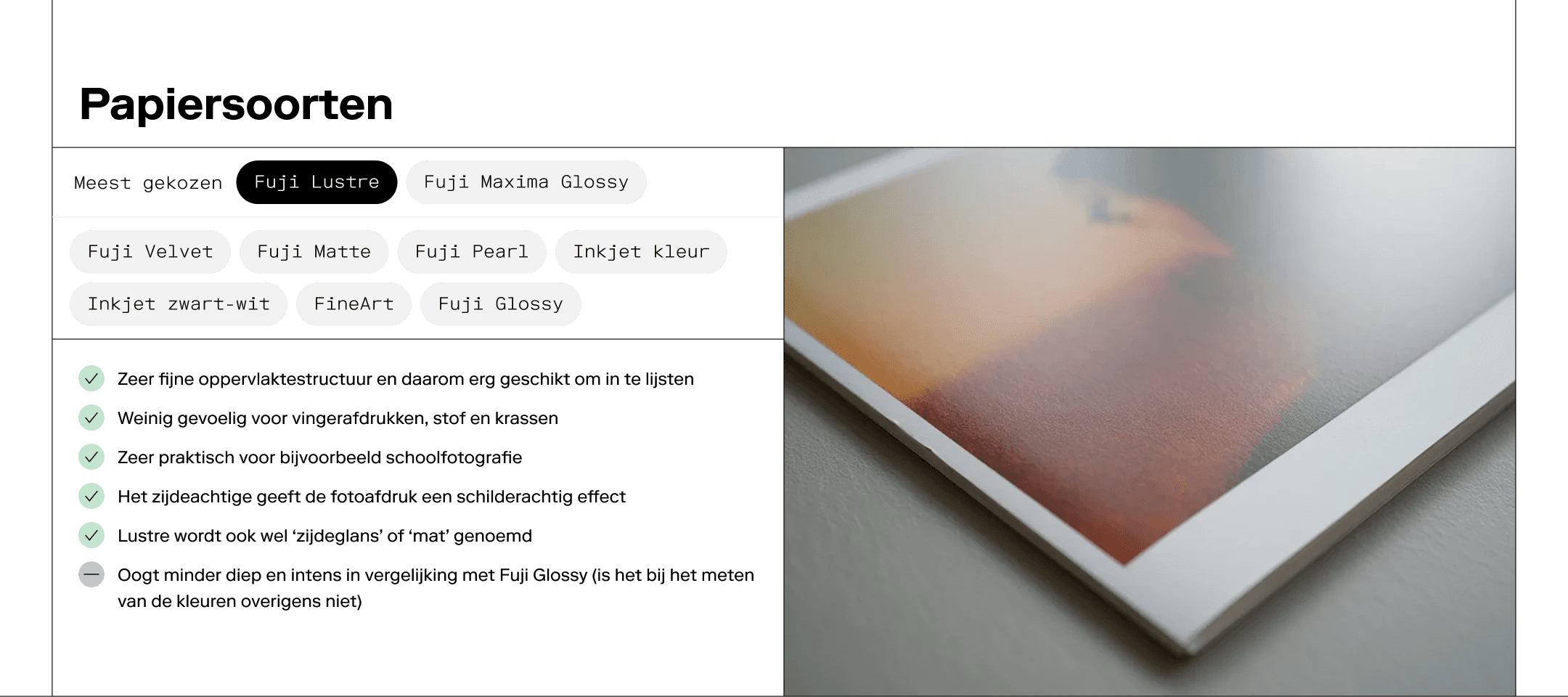
Contextual explanations are embedded directly within the module, with concise descriptions and targeted links that reveal additional information only when relevant.For information shared across products, such as paper types, anchor links guide users directly to related modules further down the page—keeping the experience focused and avoiding unnecessary repetition.

The redesigned Format and Price module allows customers to configure their desired format and immediately understand how pricing is affected by key options such as paper type, hanging system, and frame.

Although the final price is confirmed later in the flow—once images are uploaded—the module provides an early cost estimate on the PDP, helping users form expectations before committing to the full creation process.

Contextual explanations are embedded directly within the module, with concise descriptions and targeted links that reveal additional information only when relevant.For information shared across products, such as paper types, anchor links guide users directly to related modules further down the page—keeping the experience focused and avoiding unnecessary repetition.

Main navigation

Before

The main navigation exposed a large number of products at once, creating cognitive overload and making it difficult for users to identify relevant or popular options.

A lack of hierarchy made it unclear which products were most popular, new, or recommended, while short descriptions added visual noise without meaningful differentiation.

After

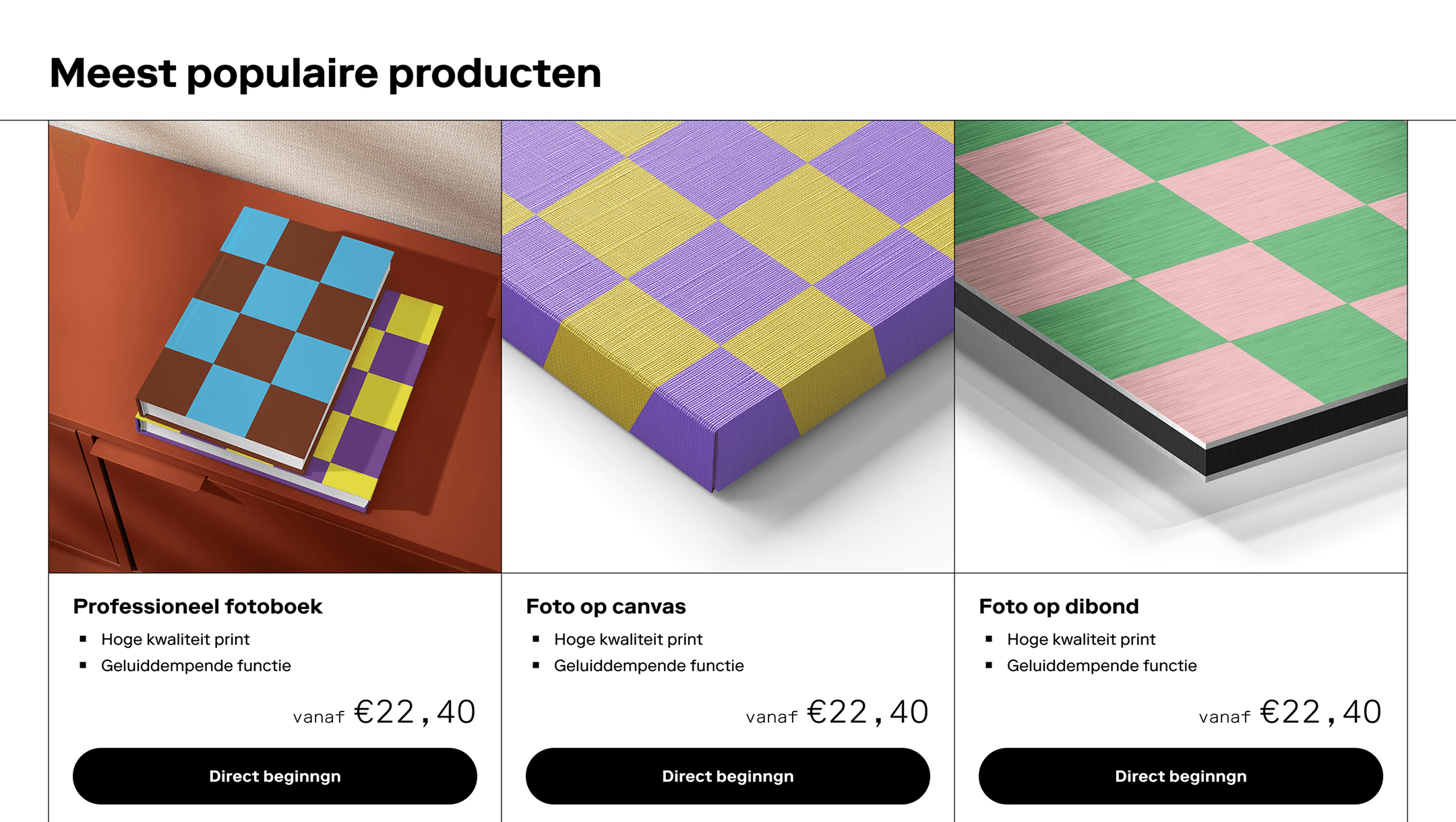
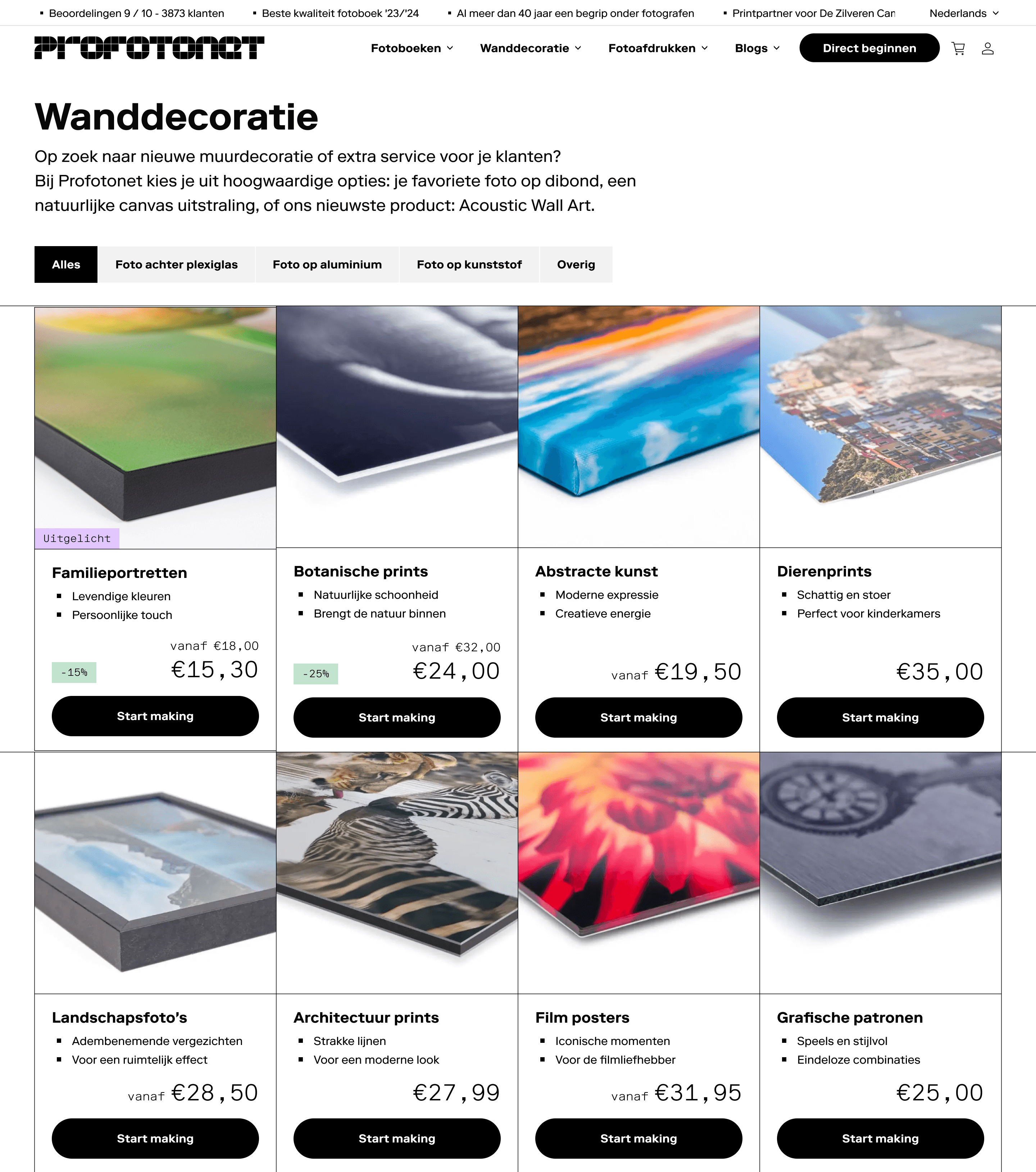
The navigation was restructured around two primary user needs: discovering popular products and browsing by material type. Product tags highlight specific items, while a dedicated editorial section adds inspiration and guidance.

Detailed product explanations were intentionally moved one level deeper to the Product List Page (PLP), where differences between products can be explained more clearly in a scannable, bullet-point format.
1/2

Main navigation – Wall art

1/2

Main navigation – Wall art

Main navigation – Wall art

1/3

Design sketches

1/3

Design sketches

Design sketches